Keep sensitive work on disk
Prompts, documents, Data Hub indexes, and model weights stay on hardware you control. Add OpenAI, Anthropic, Gemini, or self-hosted endpoints when a task needs them.
Chat with local MLX and GGUF models or cloud APIs in one app. Drop in a folder and let AI read, edit, and run your code safely on your machine.
Free, no account required.
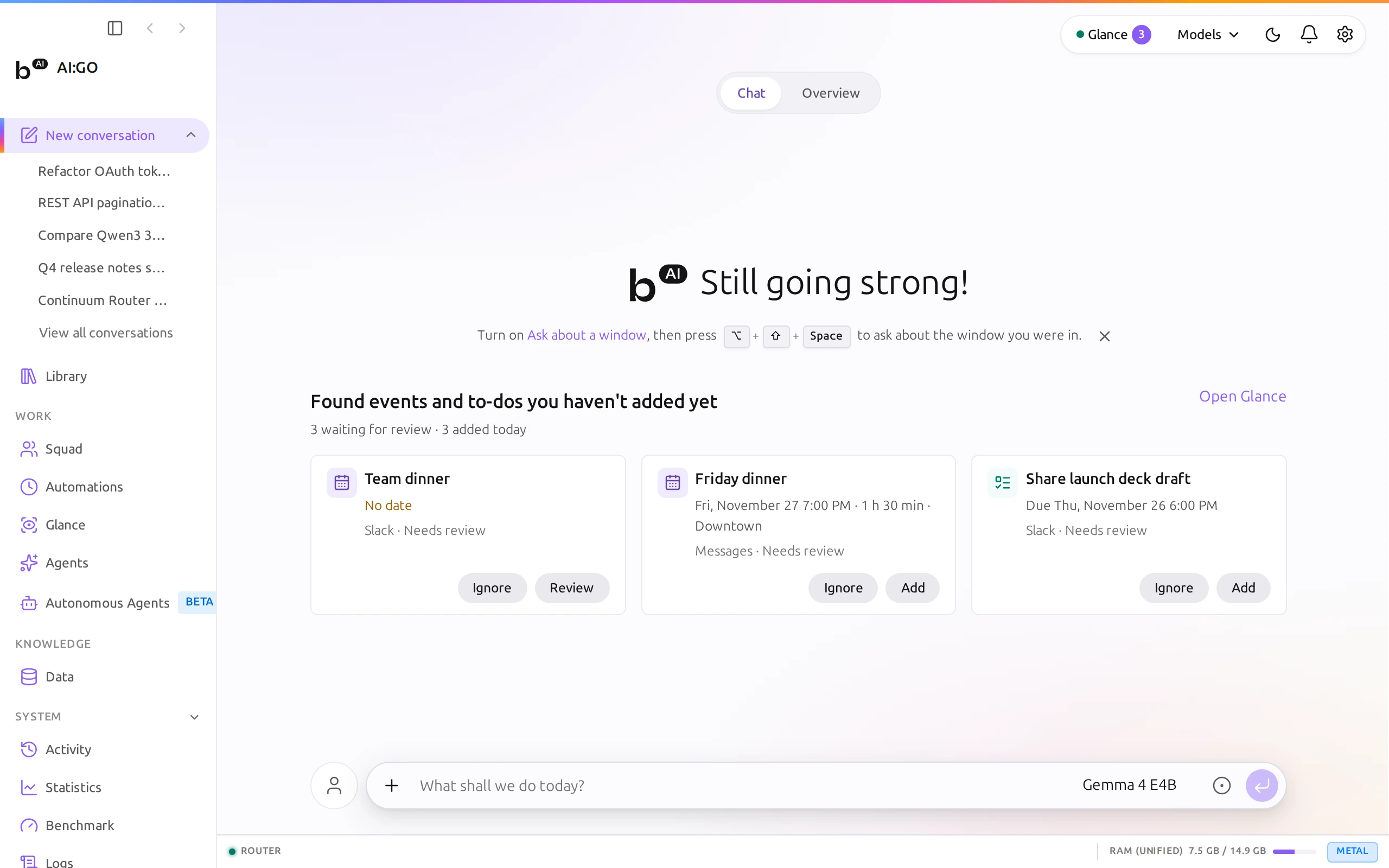
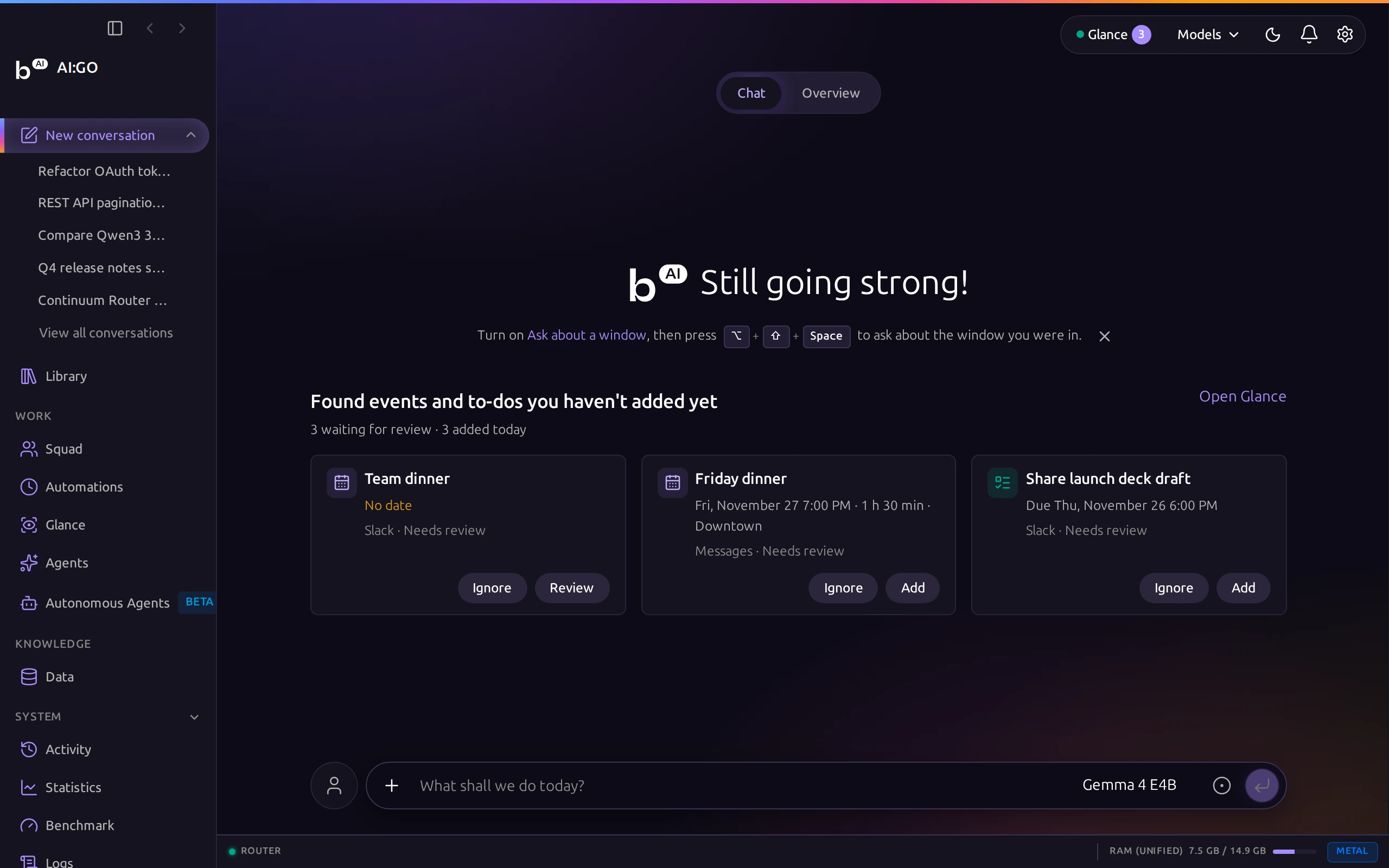
Prompts, documents, Data Hub indexes, and model weights stay on hardware you control. Add OpenAI, Anthropic, Gemini, or self-hosted endpoints when a task needs them.
Attach a working folder for Cowork, coordinate multi-agent Squads, and connect MCP servers or personal calendars and mail inside OS-enforced sandboxes.
Connect AI:GO desktops and headless servers in Settings > Nodes. Load models on demand across machines or split large MLX models across Apple Silicon Macs.
Hardware-tuned local inference paired with document indexing, working-folder agents, and a built-in API router for your editors and scripts.
Run GGUF, MLX, image, speech, and Apple Intelligence models on macOS, Windows, and Linux. Point AI:GO at existing Ollama, LM Studio, or Hugging Face folders without copying weights.
Drop a project folder into chat to start Cowork. Agents read and edit files, run Python and shell commands in an OS sandbox, draft editable artifacts, and ask before external actions.
Switch between chat, side-by-side translation, image generation, multi-agent runs, and hardware benchmarks without leaving the app.
Chat, translate, generate images, or attach a working folder
Move between local and cloud models, translate documents side by side, generate images, or attach a folder to launch Cowork with live progress and inline editable artifacts.
Connect desktops, workstations, and headless servers in Settings > Nodes. Share models across the LAN, split large MLX models across Apple Silicon Macs, or connect to Backend.AI clusters.
01
Discover nearby AI:GO nodes via mDNS, or pair across subnets with a one-time connection key or QR link.
02
Each node advertises its models through Continuum Router and loads a shared model when another computer requests it.
03
Run pipeline-parallel MLX serving across multiple Apple Silicon Macs when a model exceeds one machine's unified memory.
Latest desktop release for macOS 15+ (Apple Silicon), Windows 10/11, and Linux (glibc 2.39+). v2.0.3
Downloaded Linux AppImages arrive without execute permission. Run this command to install the AppImage with its execute bit, application-menu entry, and icon.
curl -fsSL https://go.backend.ai/install.sh | sh -s -- --desktopLooking for the CLI or the headless server? Use the one-line installer below.
Desktop cask for macOS Apple Silicon, plus CLI and headless server formulae
brew install --cask lablup/tap/backend-ai-gobrew install lablup/tap/aigo-cli lablup/tap/aigo-serverRequires Homebrew. Cask and formulae track each stable AI:GO release.
One-line install for Linux and Apple Silicon servers, containers, and remote terminals
curl -fsSL https://go.backend.ai/install.sh | shirm https://go.backend.ai/install.ps1 | iexVerified against release SHA-256 checksums. macOS requires 15+ on Apple Silicon; Linux requires glibc 2.39+. Windows installs the aigo CLI client.
Keep the same desktop app and CLI while adding Ed25519-signed organization policies, device enrollment, audit exports, and air-gapped delivery. Also available as part of the PALI suite.
Signed org policies
Ed25519-verified settings, egress, and tool locks
Air-gapped & offline licensing
Internal mirrors, custom builds, and offline seats
Device enrollment & audit
One-time enrollment tokens and compliance exports
Backend.AI Enterprise
Fixed-endpoint profiles and cluster GPU scaling