Claude Code Settings
Claude Code is Anthropic's official CLI for agentic coding. It speaks the Anthropic Messages API, so it can be pointed at any Anthropic-compatible endpoint, including Backend.AI GO's Continuum Router, via the ANTHROPIC_BASE_URL environment variable.
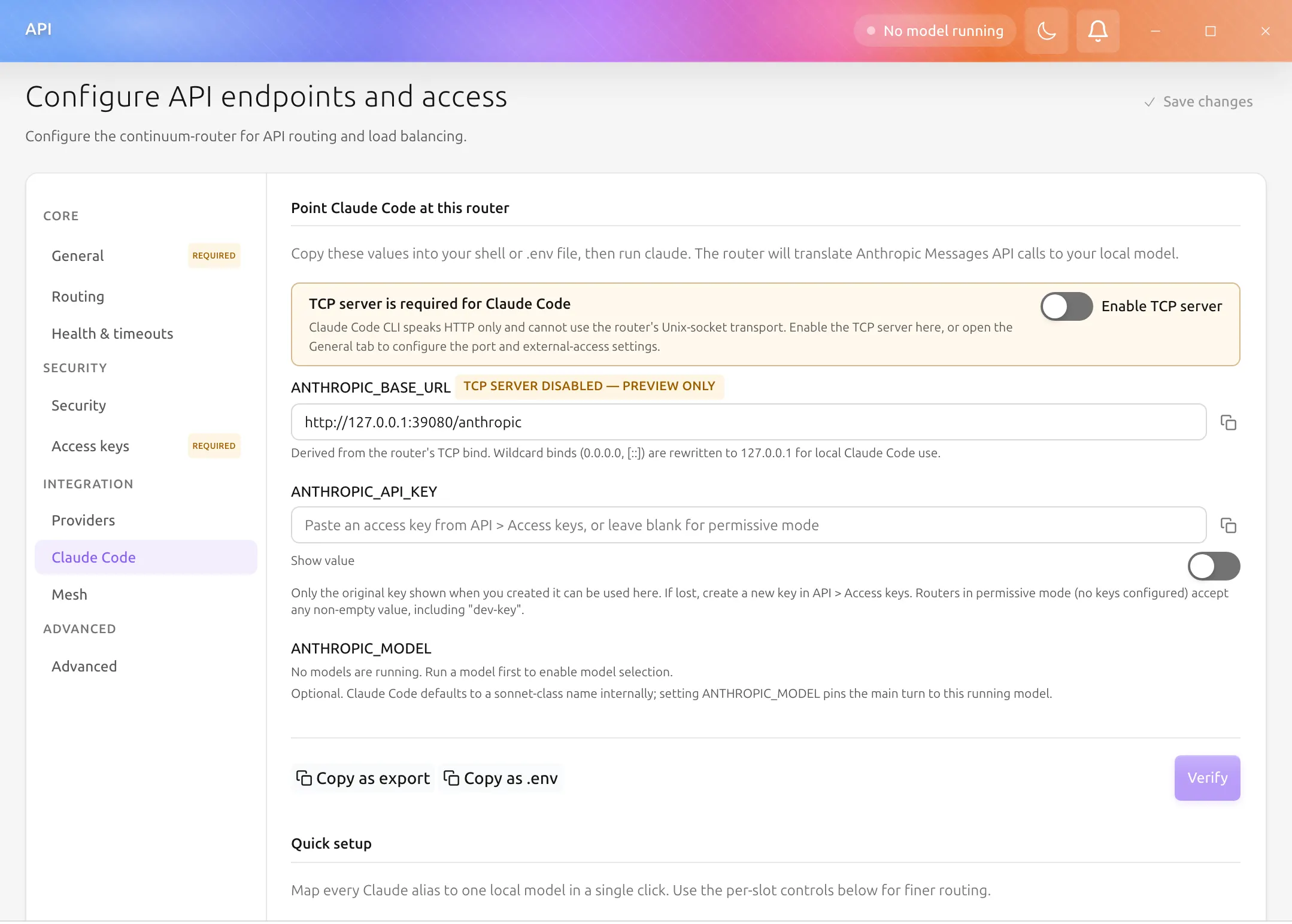
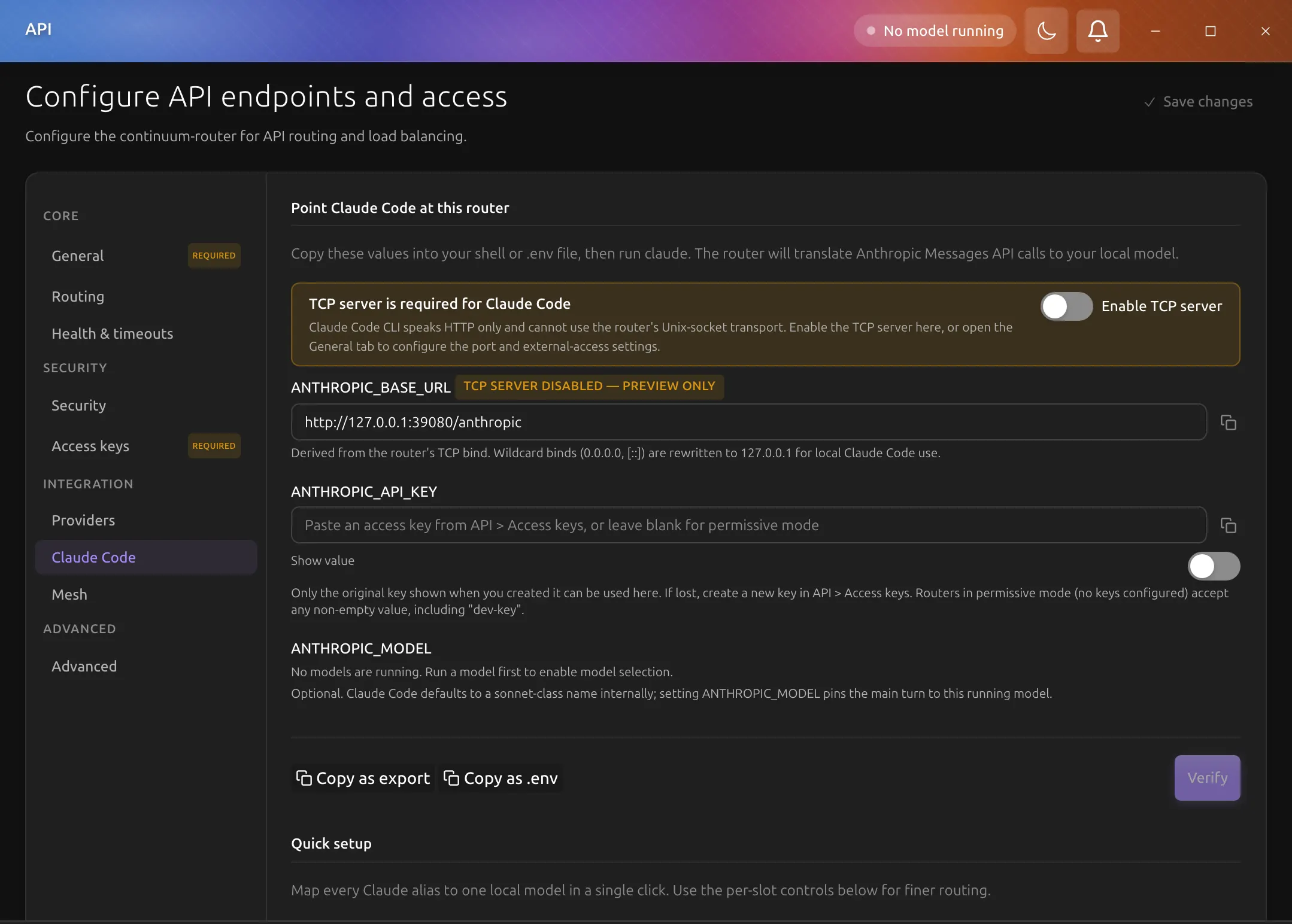
The Claude Code section of Settings > API Server gathers everything you need to make Claude Code talk to your local Backend.AI GO instance, including the two features Claude Code ships that assume Anthropic's hosted backend: WebFetch and WebSearch. The section has three cards: Endpoint, Model Aliases, and WebSearch support.
For the upstream technical reference on the Anthropic compatibility layer the router exposes, see Continuum Router & API and the upstream continuum-router Claude Code integration guide.
Why model aliases are needed
Claude Code is built for Anthropic's hosted API. Out of the box it hard-codes a handful of behaviors that need router-side translation when the upstream is a self-hosted model:
- It talks to
/v1/messages(Anthropic Messages format), not/v1/chat/completions. - It issues intermediate calls to a small haiku-class model (
claude-haiku-4-5-20251001at the time of writing) for WebFetch's summarizer and WebSearch's query extractor. - Its WebSearch feature sends Anthropic's native server tool (
web_search_20250305) and expects the response to includeserver_tool_useandweb_search_tool_resultcontent blocks.
Without model aliases, Claude Code's haiku-class intermediate calls fail with Model not found, so WebFetch and WebSearch break even though the main conversation turn works. Setting an alias rewrites those internal model names to whichever local model you have running, so summaries and searches reach a real backend.
WebSearch providers
The WebSearch support card supports three providers. Prices change; link out to each provider for current quotas.
| Provider | Free tier (at the time of writing) | Sign-up | Best for |
|---|---|---|---|
| Serper | 2,500 free queries on signup; pay-as-you-go beyond that | https://serper.dev/ | Default choice for general web search; Google-backed results |
| Brave Search | 2,000 queries/month free with rate limits | https://api-dashboard.search.brave.com/register | Cost-conscious dev work, privacy-leaning use cases |
| Exa | Free trial; paid tiers thereafter | https://dashboard.exa.ai/ | Neural / semantic search over technical content |
Treat the numbers above as approximate; the providers change them. Click through and check.
One key, two paths
The WebSearch support card defaults to letting you type the key directly into the card, but its API key source dropdown also offers Use stored key from Settings → Serper Search (and Use stored key from Settings → Brave Search). Picking that option avoids re-entering the same key in two places: the value lives in Settings > Tools & extensions > Web search tool > Google Search (Serper) (or Brave Search) and the Claude Code path reuses it.
What gets persisted in router_config.yaml when the shared-key option is selected is the stable placeholder string ${BACKEND_AI_SERPER_API_KEY} or ${BACKEND_AI_BRAVE_API_KEY}. The continuum-router resolves that placeholder via the standard ${ENV_VAR} expansion at config-load time. Backend.AI GO injects the matching environment variable into the router child process at every spawn, reading the value from the same SecureKeyStorage keychain entry that Settings > Tools & extensions > Web search tool > Google Search (Serper) writes to. The plaintext key never lands in router_config.yaml.
Rotating the key in Settings > Tools & extensions > Web search tool > Google Search (Serper) (or Brave Search) restarts the running router so the new value takes effect without re-editing the Claude Code tab. Exa does not participate in this path. There is no Settings > Tools & extensions > Web search tool > Exa panel today, so its key is still entered manually here. Issue #2940 tracks the consolidation.
The four environment variables
Claude Code reads four variables to decide where to send requests and whether it is authenticated. The Endpoint card surfaces all four with copy-as-export and copy-as-.env shortcuts so the values you paste into your shell match exactly what your local router accepts.
ANTHROPIC_BASE_URL: The base URL the Anthropic SDK will hit. The Endpoint card derives this from the router's TCP bind. Wildcard binds (0.0.0.0, [::]) are rewritten to 127.0.0.1 for local Claude Code use, so you don't accidentally point Claude Code at the wrong network interface. The /v1/messages suffix is appended by the SDK itself, so the value here ends in /anthropic.
ANTHROPIC_API_KEY: Forwarded to the router as the x-api-key header. While the router's listener is local only it runs in permissive mode, and any non-empty value works, including dev-key. Otherwise, paste a key from Settings > API Server > Access keys. Only the original key shown when you created it can be used here; if lost, create a new one.
ANTHROPIC_AUTH_TOKEN: Required for Claude Code to skip its login/onboarding prompt; the CLI sends it as the Authorization: Bearer header and checks for it before it will treat a custom ANTHROPIC_BASE_URL as already authenticated, so ANTHROPIC_API_KEY alone is not enough. When no API key is configured on the Endpoint card, the copied snippet fills this in with the sentinel value aigo, which is not a secret and works because the managed router runs in permissive mode while its listener is local only. Turning on Allow external access moves the router to blocking mode, and the sentinel is then a 401 on this endpoint like any other unrecognized token; the card warns when that applies. Once you paste an API key into the card, the snippet mirrors that same key into ANTHROPIC_AUTH_TOKEN, since a blocking-mode router validates only the Authorization: Bearer header on this endpoint, not x-api-key.
ANTHROPIC_MODEL: Optional. Claude Code's main conversation turn defaults to a sonnet-class name internally. Setting ANTHROPIC_MODEL pins that turn to a specific local model you have running, which is useful when you want the main answer to come from a particular weight class instead of relying on the alias rewrite path.
Step-by-step walkthrough
- Run a local model. Open the Models tab, find or download a model (a small one like Qwen2.5-1.5B is fine for first verification), and click Run model.
-
Open Settings > API Server > Claude Code. The Endpoint card shows a non-empty
ANTHROPIC_BASE_URLderived from the running router; the Model Aliases card has no model selected in Local model to connect. -
Connect a local model. In the Model Aliases card, pick the model you just ran in Local model to connect. The choice is saved at once: haiku / sonnet / opus / default all point to that model, the router config file on disk gets a new
model_aliases:block, and the router hot-reloads. To give each Claude model its own local model, open Individual settings; changes there are saved at once too. -
Verify. Click Verify on the Endpoint card. The probe sends one tiny
POST /anthropic/v1/messagesto the router and reportsConnectedwithin ~2 s, along with the model name the router answered as. If it fails, see Troubleshooting below. - Copy as export. Click Copy as export on the Endpoint card. Paste the result into a terminal and run
claude(orclaude --model <name>). SendHiand confirm the local backend log shows the request. - Try WebFetch. In the Claude Code session, send
Summarize https://www.rust-lang.org/ in one sentence. The router log should showRewrote request.model via model_aliasesfor the haiku-class internal call, and the summary comes from your local model. -
Turn on WebSearch support. Back in the Claude Code section, toggle WebSearch support on, pick a provider (Serper or Brave for the easiest free tier; Exa is also supported), then either type the API key directly, select Use stored key from Settings → Serper Search (or Use stored key from Settings → Brave Search) to reuse the value already saved there, or paste a custom
${SOME_ENV_VAR}placeholder to read from the environment. Save, then click Test key to confirm the key works against the provider before you rely on it (it runs one live probe query and reports valid / invalid key / rate-limited / unreachable). Router-managed web search runs only for self-hosted models; commercial providers (OpenAI, Anthropic, Gemini) use their own built-in web search and ignore this card. -
Try WebSearch. In the same Claude Code session, send
Use web search to find the latest Rust release. The router log should showAnthropic web_search server-tool emulation: extracting queryand Claude Code's WebSearch panel should display ranked results.
Troubleshooting
Each error in this table corresponds to a hint surfaced by the Verify probe on the Endpoint card, so the doc and the UI agree on what to check next.
| What you see | What it means | What to do |
|---|---|---|
Connection refused (Verify) | The router process is not running on the address shown | Check Settings > API Server > Health & timeouts; restart the router. Confirm the port hasn't been overridden in the router config. |
Request timed out after 5 s (Verify) | The router took too long to answer a one-token probe | Most often the running model has been evicted; run it again. Also check CPU/GPU pressure. |
Authentication failed (Verify) | ANTHROPIC_API_KEY is not in the router's api_keys store | Create a new key in Settings > API Server > Access keys and paste the original (one-time) value here. |
Model not found (Verify) | The router is forwarding the probe but no backend model matches | Pick a model in Local model to connect on the Model aliases card, or set the default slot under Individual settings. Confirm the model is actually running. |
Router could not parse the request (Verify) | The router doesn't understand Claude Code's schema | Upgrade continuum-router to v1.11.0 or later (the minimum for the Claude Code schema; the router bundled with this Backend.AI GO build is already newer). |
Model claude-haiku-4-5-20251001 not found (in claude log) | Same root cause as the Verify "Model not found" hint, but from the haiku-class intermediate call | Set the haiku slot or the default slot under Individual settings in the Model Aliases card. |
| WebSearch shows an error card (or zero results) | The provider rejected the key, hit a rate limit, or was unreachable | Click Test key on the WebSearch support card (or in Settings > Tools & extensions > Web search tool) to see the exact cause without reading logs. continuum-router v1.7.0+ surfaces these failures to Claude Code as a web_search_tool_result_error block with a mapped error_code (too_many_requests for HTTP 429, unavailable for an invalid key / timeout / parse error) instead of an empty result. Invalid key: re-enter it. Rate limited: upgrade the plan or switch providers. A genuinely empty result set (no matches) is still possible and is not an error. |
HTTP 422: missing field input_schema | continuum-router is older than the web_search_20250305 support | Upgrade continuum-router. Backend.AI GO pins the bundled router; this only triggers if you replaced the binary manually. |
| Claude Code still asks me to log in | ANTHROPIC_AUTH_TOKEN is not set (snippet copied before this variable was added) | Re-copy the snippet from the Endpoint card, or set ANTHROPIC_AUTH_TOKEN to the same value as ANTHROPIC_API_KEY (aigo when no key is configured). |
Shared-key environment variables (advanced)
The stored-key option writes the placeholder ${BACKEND_AI_SERPER_API_KEY} or ${BACKEND_AI_BRAVE_API_KEY} into router_config.yaml. These names are stable; you can inject them externally too.
| Provider | YAML placeholder | Env var name | Resolution |
|---|---|---|---|
| Serper | ${BACKEND_AI_SERPER_API_KEY} | BACKEND_AI_SERPER_API_KEY | Backend.AI GO reads serper_api_key from SecureKeyStorage at router spawn time and injects it into the router process |
| Brave Search | ${BACKEND_AI_BRAVE_API_KEY} | BACKEND_AI_BRAVE_API_KEY | Same as Serper, reading brave_search_api_key from SecureKeyStorage |
If you set the env var externally (in your shell before starting Backend.AI GO, or via a service-manager unit file), it takes the same path as the keychain-stored value. The router resolves ${BACKEND_AI_*_API_KEY} against the process environment regardless of where the value came from.
The router child process is restarted automatically whenever you update the key in Settings > Tools & extensions > Web search tool > Google Search (Serper) or Settings > Tools & extensions > Web search tool > Brave Search, so a rotation does not require manually restarting Backend.AI GO.
What does not work
The Anthropic compatibility layer is a translation shim, not a full re-implementation of Anthropic's hosted product. The following Claude Code features are out of scope:
- Anthropic Files API / Artifacts referencing Anthropic-hosted files by
file_id. Claude Code's file-upload flow round-trips through the Anthropic Files API, which the router does not proxy. Paste content inline or upload via the router's own/v1/filesendpoint. - Anthropic-side billing / quota / rate-limit headers. Claude Code occasionally surfaces Anthropic-specific quota UI based on response headers (
anthropic-organization-id,anthropic-ratelimit-*) the router does not emit. The CLI continues to function, but those panels stay blank.
Related Pages
- Continuum Router & API — Technical details on the API gateway and the
/anthropicendpoint. - Using Claude Code — Higher-level walkthrough of using Claude Code with Backend.AI GO.
- Cloud Integration — Set up cloud model providers if you want Claude Code to route to a hosted model.
- Running Models — Run and manage local models.