Logs
The Logs page corresponds to the /logs sidebar destination.
It has two main modes:
- application log files stored on disk
- live process logs polled from running services
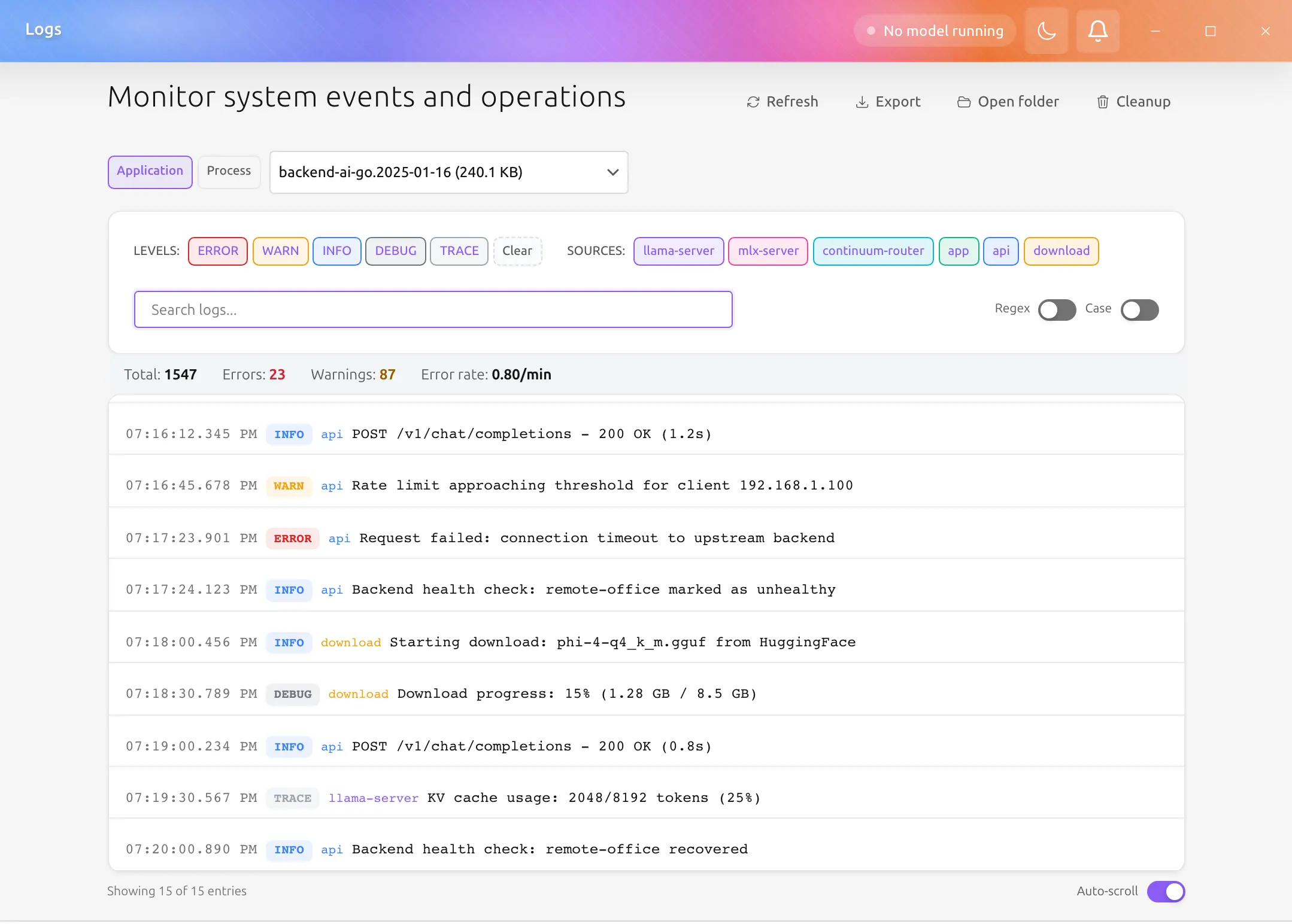
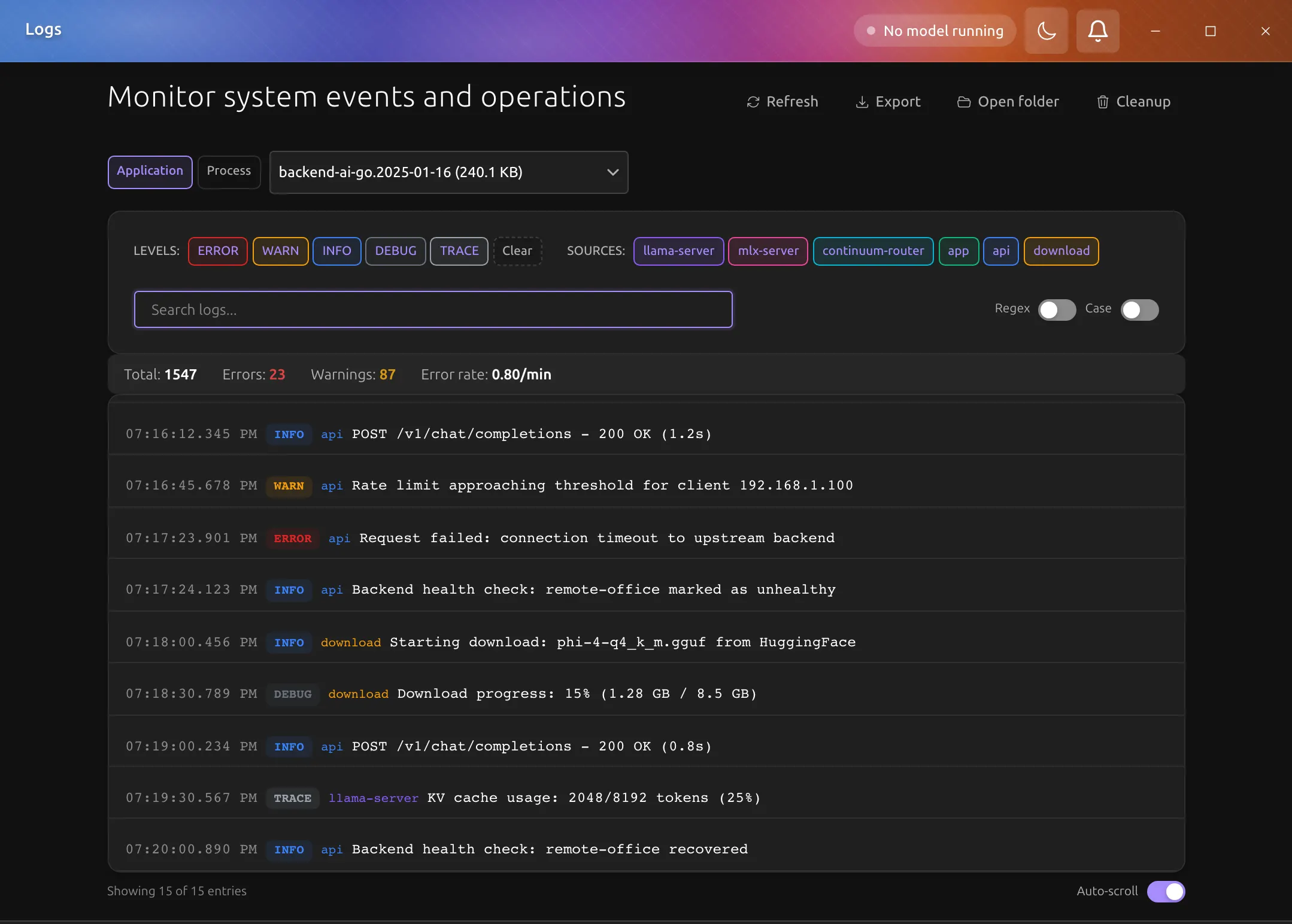
What you can do on the page
Choose a log file at the top; the refresh icon beside it reloads the file. The search field below takes plain text, its .* and Aa toggles switch to a regular expression and to matching case, and the arrows beside it move between matches. The level and source chips under the search turn each filter on and off, and in the application view each chip shows how many entries of that level or source the file holds.
The list's header shows how many entries are shown and the error rate, and its Auto-scroll switch keeps the newest entry in view. Export in the page header saves the current view as JSON, text, or CSV, and its ⋯ menu opens the log folder in the OS file browser or removes log files older than seven days.
Process view
When you switch to process view, the page polls live process logs while the page is visible. The list updates every second by itself, so there is no refresh icon, and the source chips are hidden because the selected process is the source.
This is useful for:
- engine startup failures
- container-engine diagnostics
- runtime crashes
- health-check debugging
Current log locations
The app-data root is currently:
| Platform | App data root | Logs directory |
|---|---|---|
| macOS | ~/Library/Application Support/ai.backend.go/ | ~/Library/Application Support/ai.backend.go/logs/ |
| Windows | %APPDATA%\ai.backend.go\ | %APPDATA%\ai.backend.go\logs\ |
| Linux | ~/.local/share/ai.backend.go/ | ~/.local/share/ai.backend.go/logs/ |
The older ~/.backend-ai-go/ location is legacy-only. Current desktop log files live under the ai.backend.go app-data root.